
Get the browser extension
Save places while you're browsing.
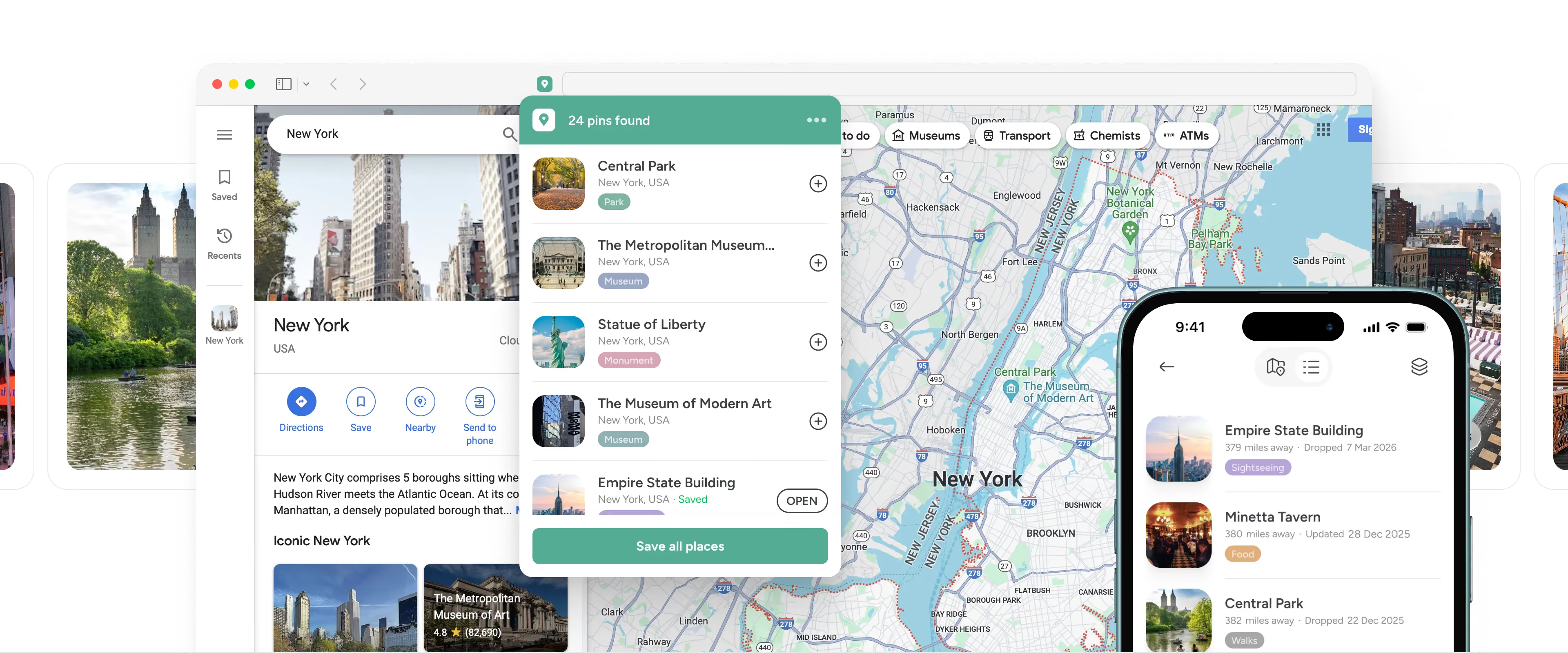
When you find a place online, the Pin Drop extension lets you save it straight to your map. No copying links, no screenshots and no losing things in tabs.


The free browser extension is part of Pin Drop, not a separate tool.
Everything you save from the web becomes part of your map.
Get the mobile apps →


FAQS
Questions people ask
What does the browser extension do?
It lets you save any place, address or link you find on the web straight to your map, without leaving the page you are on. Everything you save syncs to your account, so it is waiting for you on your phone the next time you head out.
Which browsers does it work with?
The extension is available for Chrome, Safari and Edge. Add it from your browser's extension store, then keep it in your toolbar for one click saving.
Is the browser extension free?
Yes. The extension is free to use with your account, on the plan you already have. There is nothing extra to buy.
Do I need an account to use it?
Yes. Sign in with your existing account so everything you save lands on your map and stays in sync across web, iPhone and Android.
Where do the places I save end up?
Every save drops onto your map, in the list you choose. It is the same map as the apps, so what you capture on your laptop is there on your phone when you need it.
Can I save more than map pins?
Yes. As well as places, you can save addresses and links you come across in articles, emails and listings, so a spot mentioned in text still makes it onto your map.
How do I install the extension?
Open your browser's extension store from the button above, add the extension, then keep it in your toolbar. Sign in once and you are ready to start saving.


