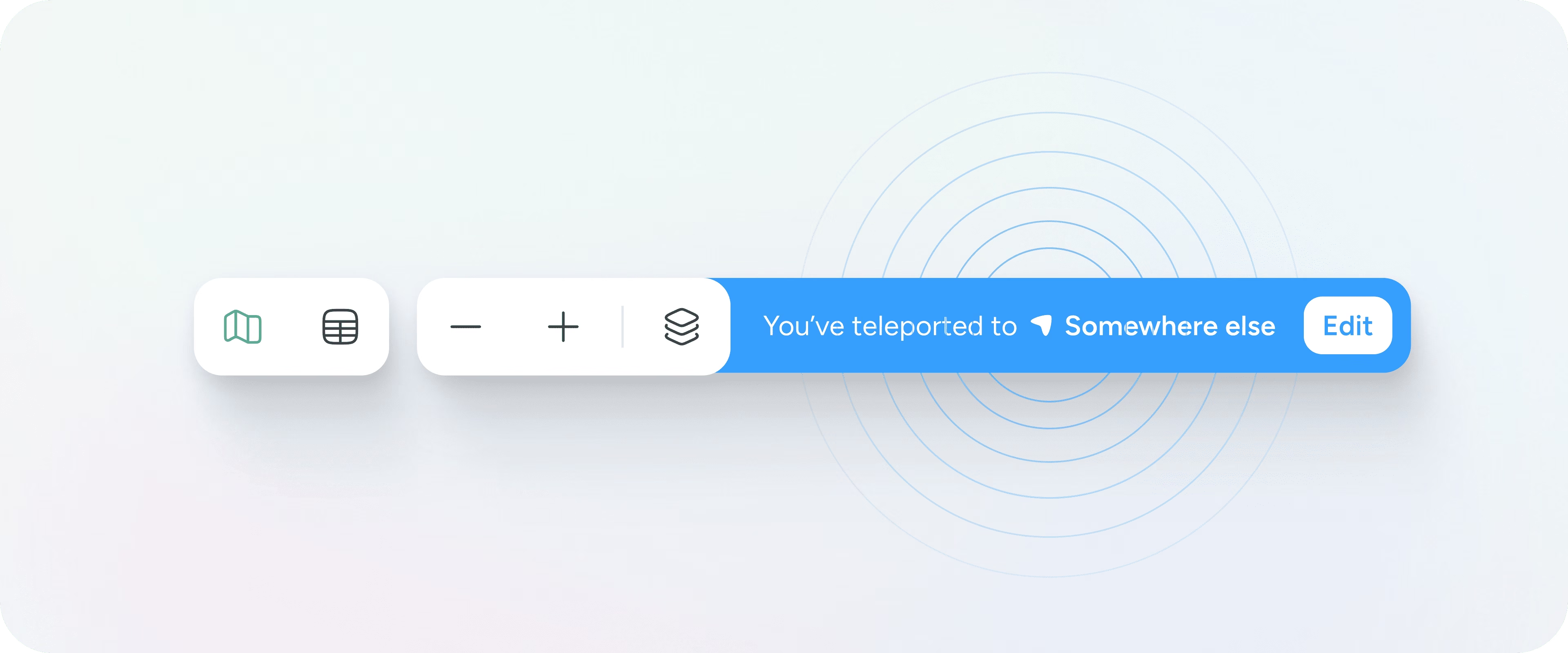
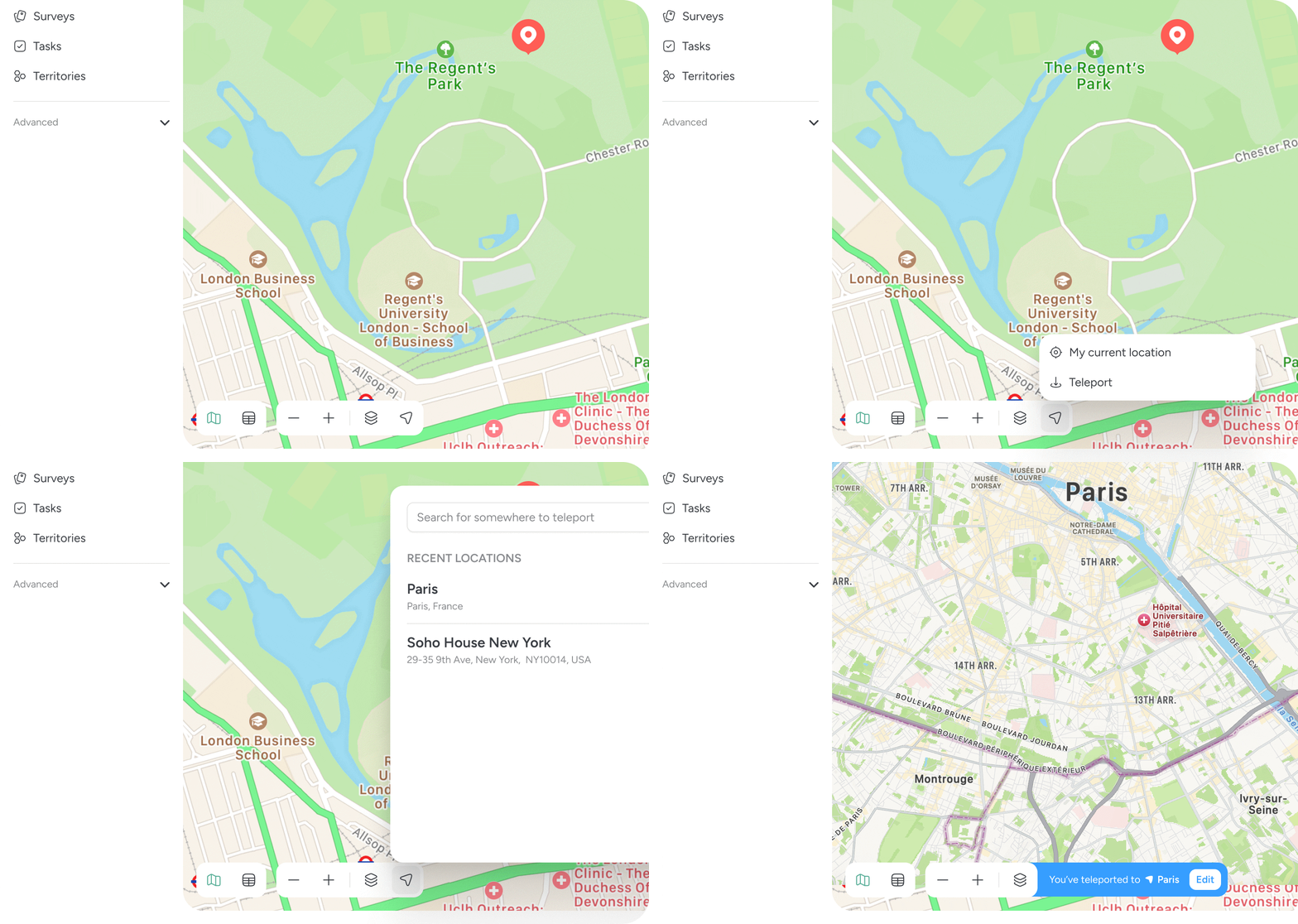
Teleport lets you instantly set a different working location on the map, without physically being there. It is designed for planning, prospecting and working ahead of travel. Teleport is currently only available on the Pin Drop website.
Teleport allows you to move the map to any location in the world and treat it as your point of reference.
Once Teleport is active, Pin Drop behaves as if you are in that location. Pins are ordered by distance from the teleported location, search results update accordingly and routes and suggestions are recalculated based on where you have teleported to.
This makes it easy to plan work in advance, explore new territories and organise activity away from your current location.
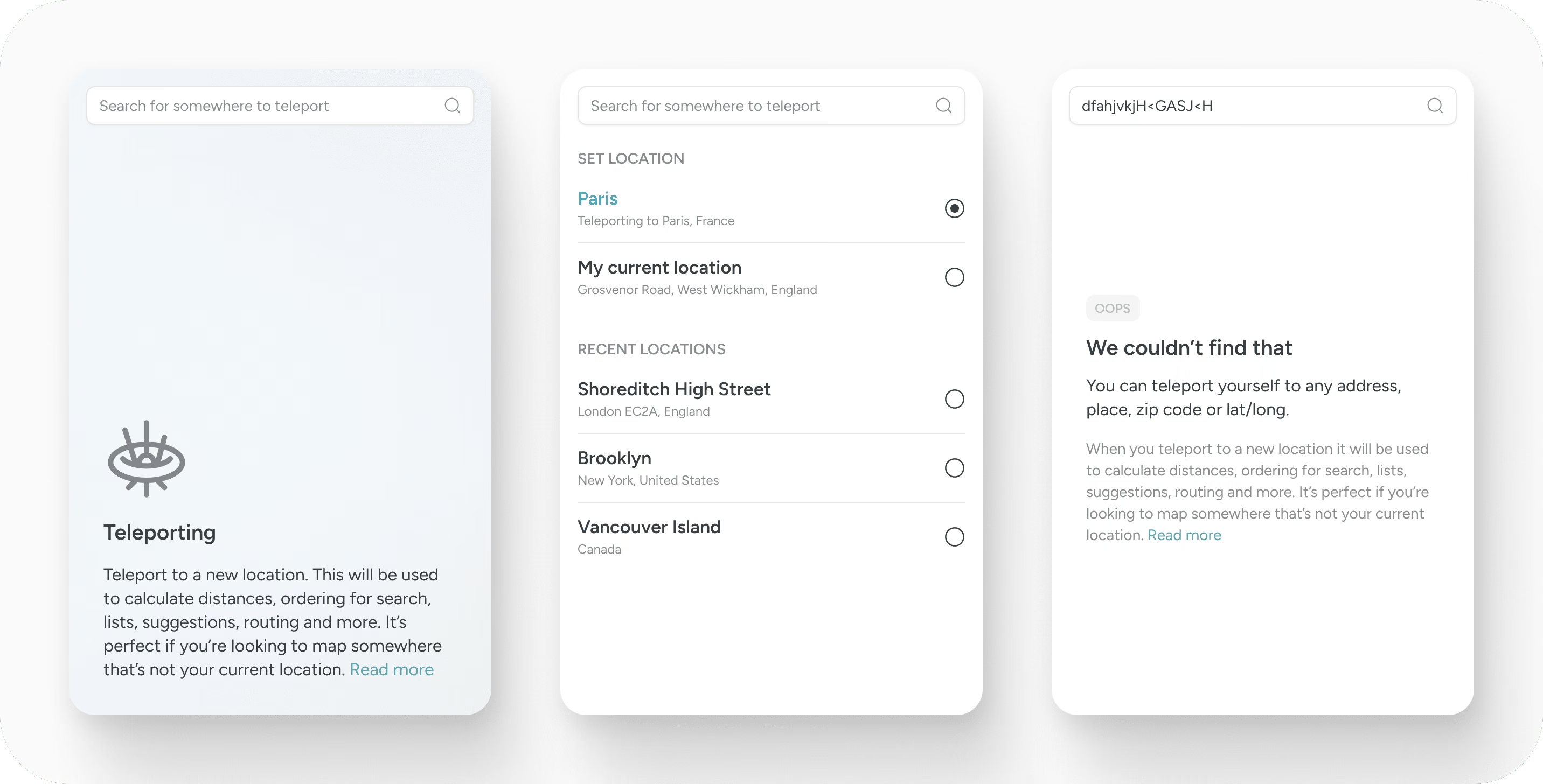
Teleport is useful whenever you are working remotely from a place you are not physically in, for example:
When you teleport:
Your real location does not change and Teleport can be turned off at any time.
Once set, the map and pins will update immediately. You'll also notice it will change the distance (from you) for all of your pins to be to the teleport location. It will also change search results and suggestions.
Teleport does not share a fake location with others and does not change GPS data on your device. It only changes how Pin Drop orders and displays information for you.
Teleport is currently available on the Pin Drop website. It's not yet supported on the mobile apps.
Support
Talk to the team on our US & Canada toll-free line or our UK number.
Calls are answered by our AI assistants, Nora (US & Canada) and Ellie (UK) and recorded so the team has the details. You can also email us on hello@pindropapp.com. We aim to get back to you within one working day.
Start here
start-here
Get the apps
get-the-apps
Drop your first pin
drop-your-first-pin
Import your places
import-your-places
Organise with tags
organise-with-tags
Share with your team
accounts-access



