
Routing allows you to organise multi stop journeys across your mapped locations.
On Pin Drop, a route is not just a list of addresses. Every stop is tied to a pin. That means tasks, notes, visits and history remain connected to the place itself. Routing is designed to structure operational movement, not just provide directions.
Routes are available on paid plans.
Most navigation apps are built to move you from one address to another. Routing on Pin Drop is built to organise field activity across multiple locations that already exist in your system.
When you create a route, you are selecting a series of pins and defining the order in which they will be visited. Each stop remains connected to its underlying record. This ensures that operational context is never separated from travel.
Routing supports round trips and can begin from your current location, a pinned location or a specific address.
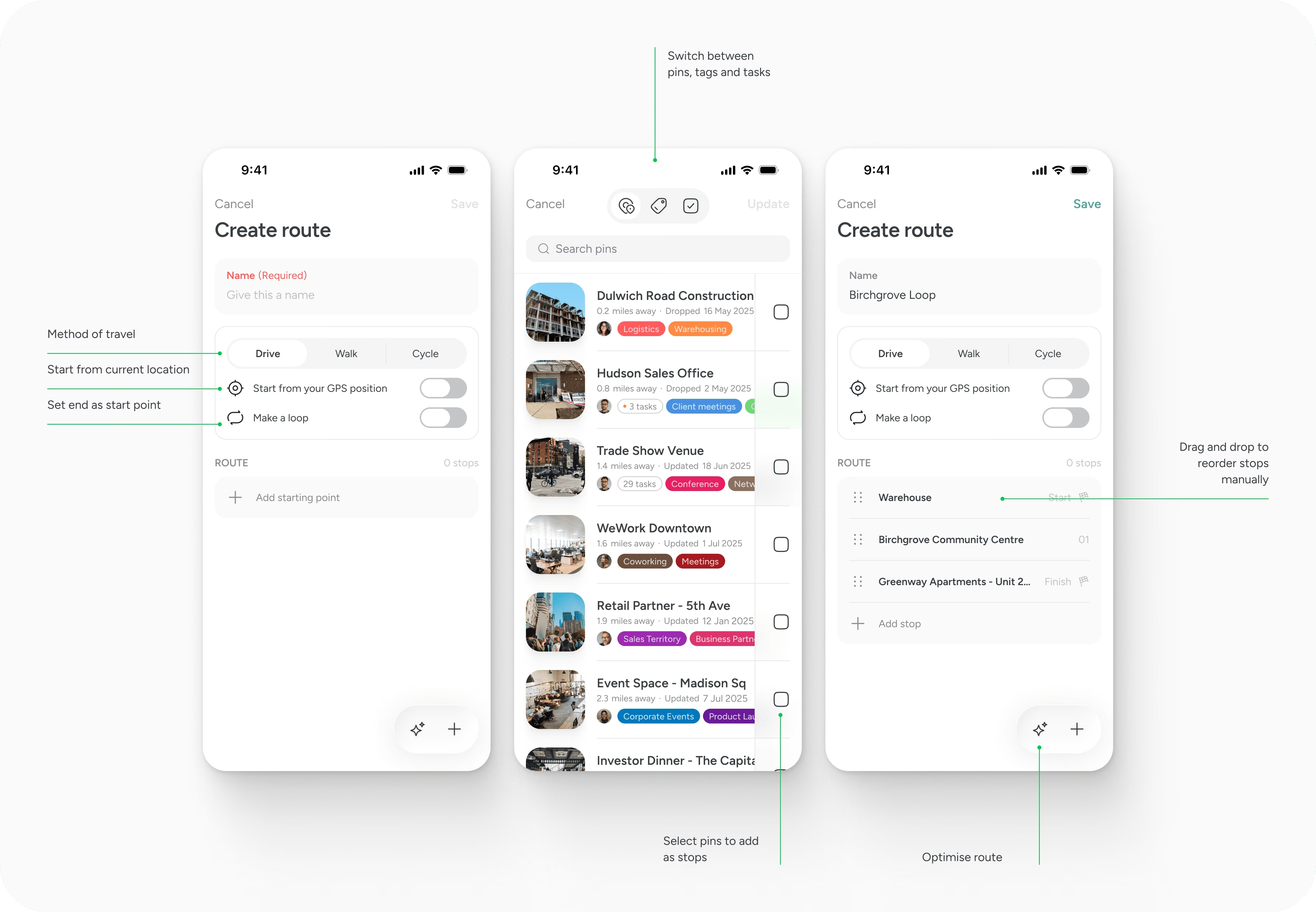
Routes are created from your existing data. You can select pins manually or generate a route from filtered views such as tags or territories. This allows you to group related locations first, then organise them into a journey.
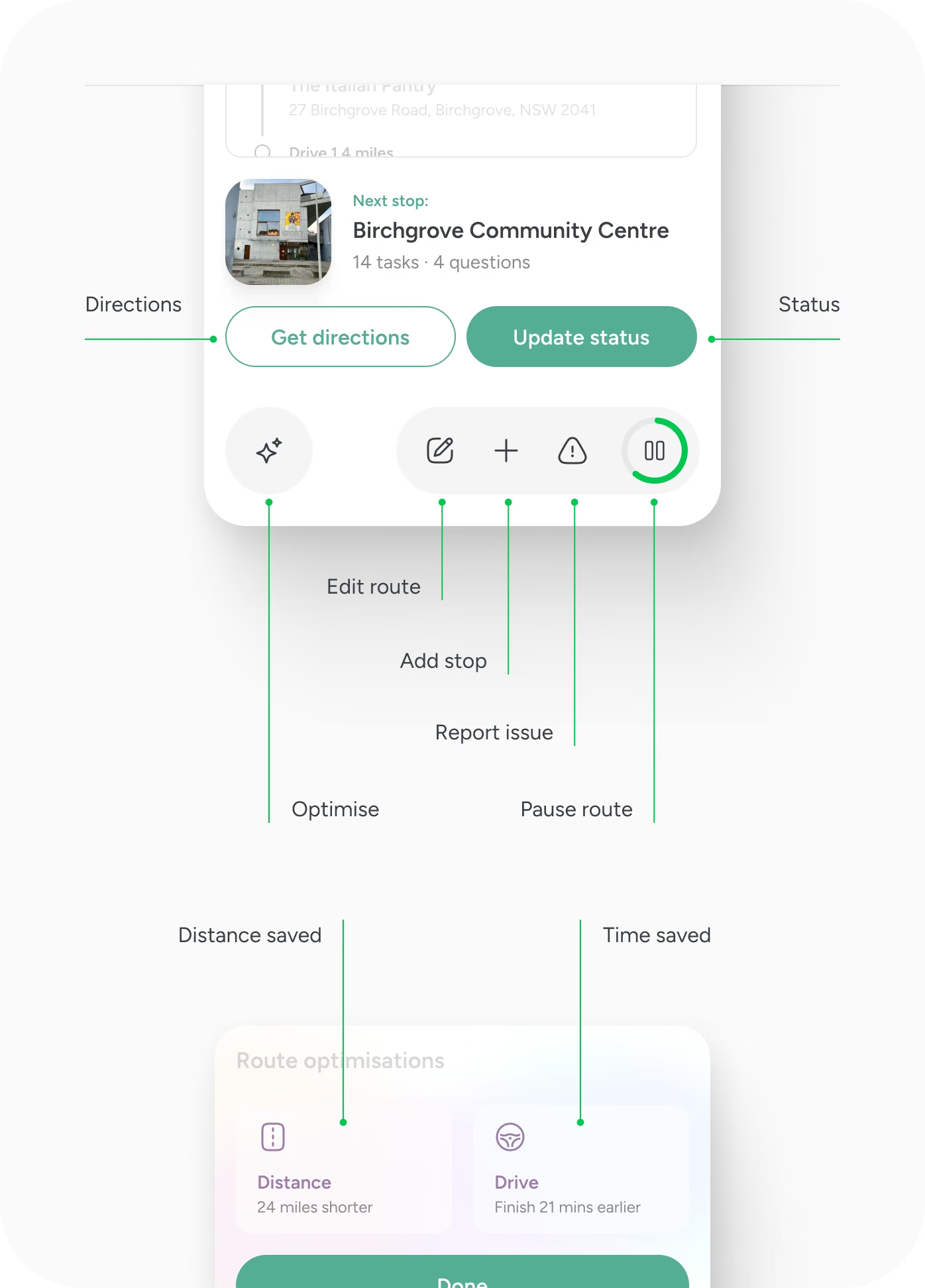
Once stops are added, you can adjust their order manually. You can also optimise the sequence to reduce overall travel distance. Optimisation prioritises the shortest path and may incorporate traffic data where available. You remain in control of the final order. There's no limit to the number of routes you can create, just that they can't exceed 100 stops.
At a route level, you can see the total distance, estimated travel time and overall completion time before you begin.
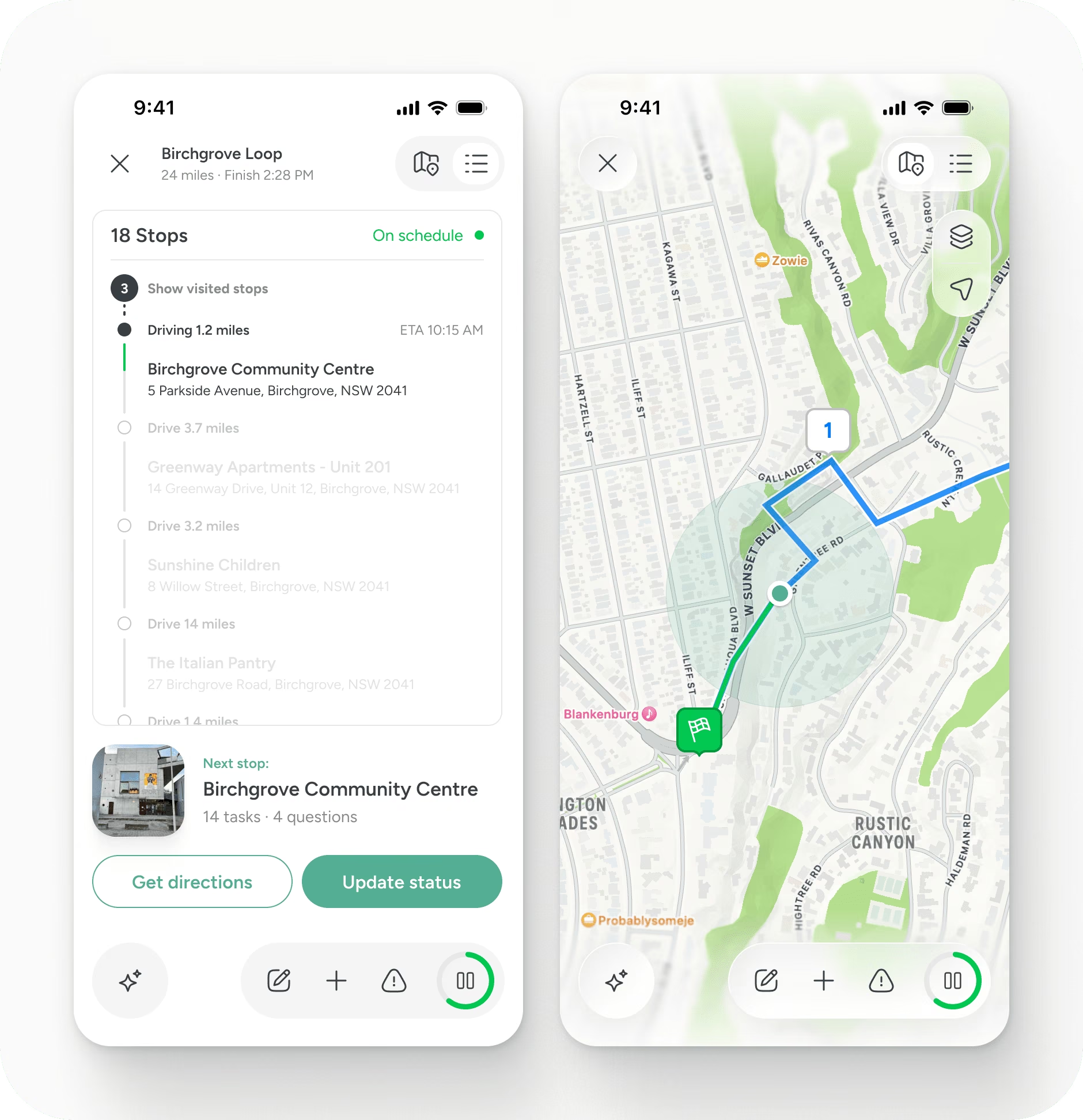
Each stop within a route remains fully connected to its pin.
When you open a stop, you can review associated tasks and notes, mark the stop as complete and log a visit. If required, you can launch turn by turn navigation in your preferred maps provider such as Apple Maps, Google Maps or Waze. This ensures access to live traffic and incident reporting while keeping operational data within Pin Drop.
Completing a stop records a visit against that location. Notes and media added during the visit become part of the permanent record for that place. Over time, this builds a geographic history of activity.
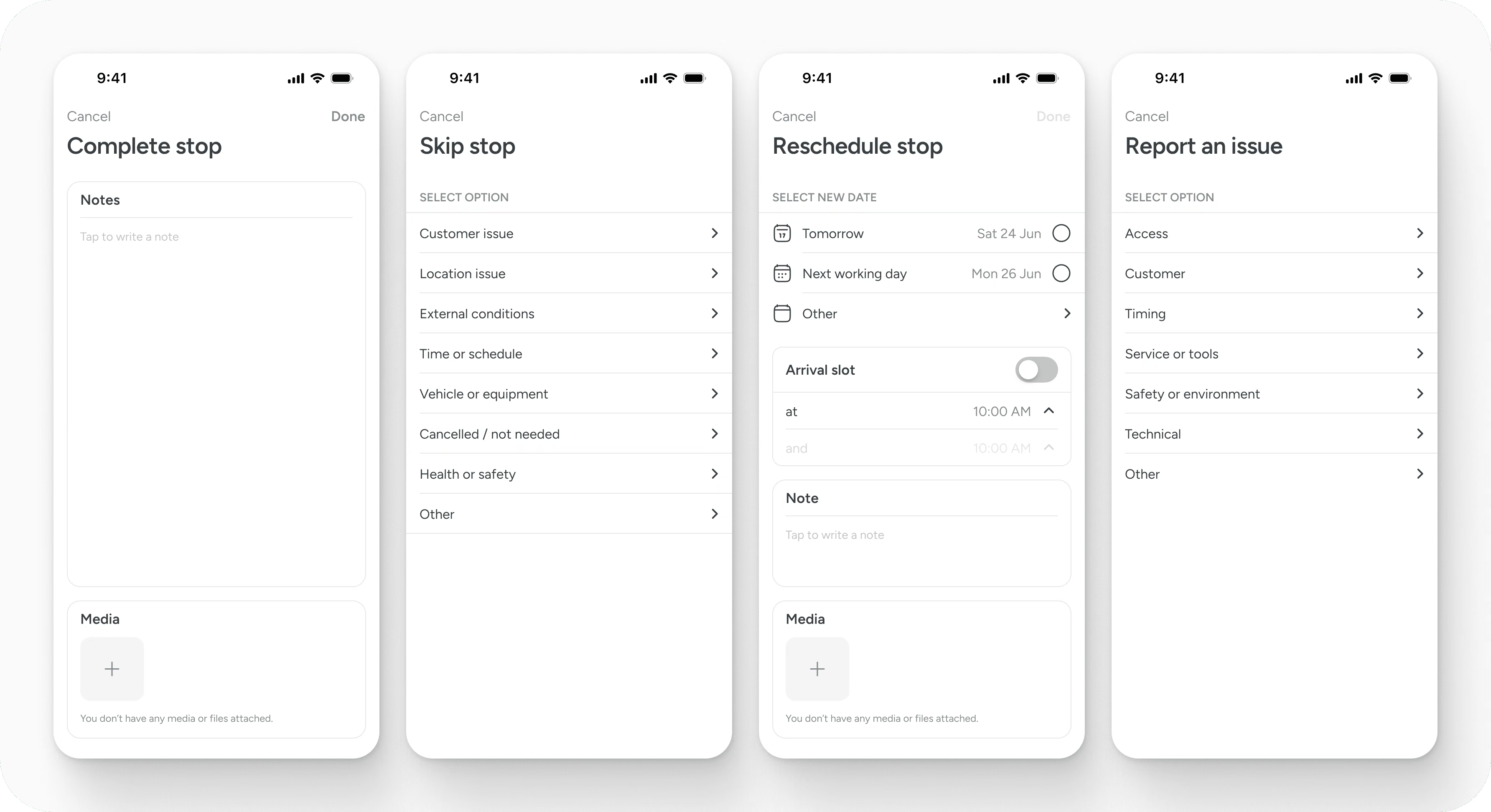
If a stop cannot be completed, you can report an issue or reschedule within the workflow.
Routing is not only about planning the order of stops. It also provides shared visibility into progress.
Each stop within a route can be marked as complete. When this happens, the system records that the location has been visited. This creates a time stamped record tied directly to the pin. Notes and media added at that moment become part of the location’s history.
For teams on a Team plan, this visibility extends beyond the individual user. As stops are completed, other team members can see progress across the route in real time. This makes it clear which locations have been visited, which remain outstanding and where attention may be required.
If a stop cannot be completed, it does not simply disappear. It can be reported as an issue or rescheduled. This ensures that incomplete work remains visible rather than being forgotten.
At a route level, progress becomes measurable. Managers can understand how far through a planned journey a team member is, without relying on separate reporting or follow up messages.
Because each update is tied to a specific place, the record is durable. Over time, this creates a transparent operational history across territories.
Routing therefore supports more than movement. It supports shared accountability.
On the Solo plan, routes are private to you. You can create and manage routes, but they are not shared with others.
On Team plans, routes become collaborative. Any team member can access, use and edit a route. This allows distributed teams to coordinate movement across territories while maintaining a shared operational view.
There is no limit to the number of routes you can save.
Routing on Pin Drop is not intended to replace specialist navigation or fleet dispatch systems. It does not provide built in turn by turn guidance, vehicle constraints or time window scheduling.
Instead, it provides structure. It organises your locations into a planned sequence and connects travel to operational records. Navigation itself is delegated to your preferred maps provider.
This separation keeps the map as the system of record while leveraging established navigation tools for real time driving guidance.
Routes do not support recurring schedules or automated repetition. Advanced fleet management features such as vehicle allocation or load optimisation are not included.
Routing is designed to support professional field teams who need structured geographic organisation without the complexity of a dedicated dispatch platform.
Route stops are limited to 100 stops in a single route currently. There's no limit to the number of routes you can create.
Use tags and territories to define meaningful groups of locations before building a route. Optimise first, then review manually to account for real world considerations.
Attach tasks to pins before creating the route so that each stop has clear purpose. When stops are completed, ensure visits are logged to maintain an accurate history.
Routing works best when geography, accountability and movement remain connected.
Support
Talk to the team on our US & Canada toll-free line or our UK number.
Calls are answered by our AI assistants, Nora (US & Canada) and Ellie (UK) and recorded so the team has the details. You can also email us on hello@pindropapp.com. We aim to get back to you within one working day.
Start here
start-here
Get the apps
get-the-apps
Drop your first pin
drop-your-first-pin
Import your places
import-your-places
Organise with tags
organise-with-tags
Share with your team
accounts-access



