Tags are how you organise meaning across your map.
Pins define where something is. Tags define what it represents. A tag might reflect status, priority, category, ownership or phase. As your map grows, tags become the layer that keeps everything understandable
Pins can hold multiple tags and there is no limit to how many tags you can create. This allows you to apply structure without duplicating locations or creating unnecessary complexity.
Every account includes four built in system tags. These provide a consistent baseline structure and cannot be edited or deleted.
System tags ensure that locations can always be filtered by state, even before you begin creating your own structure.
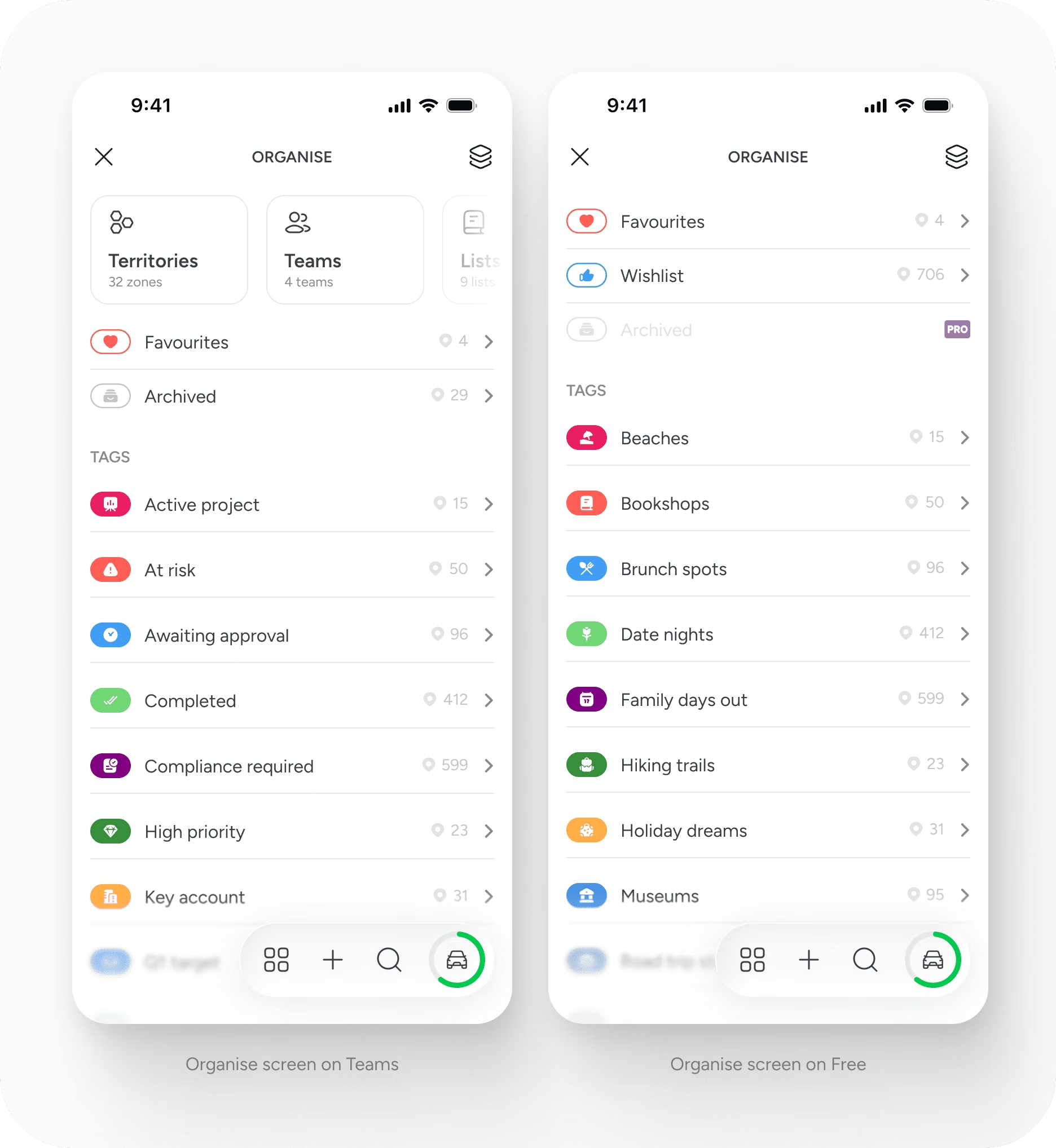
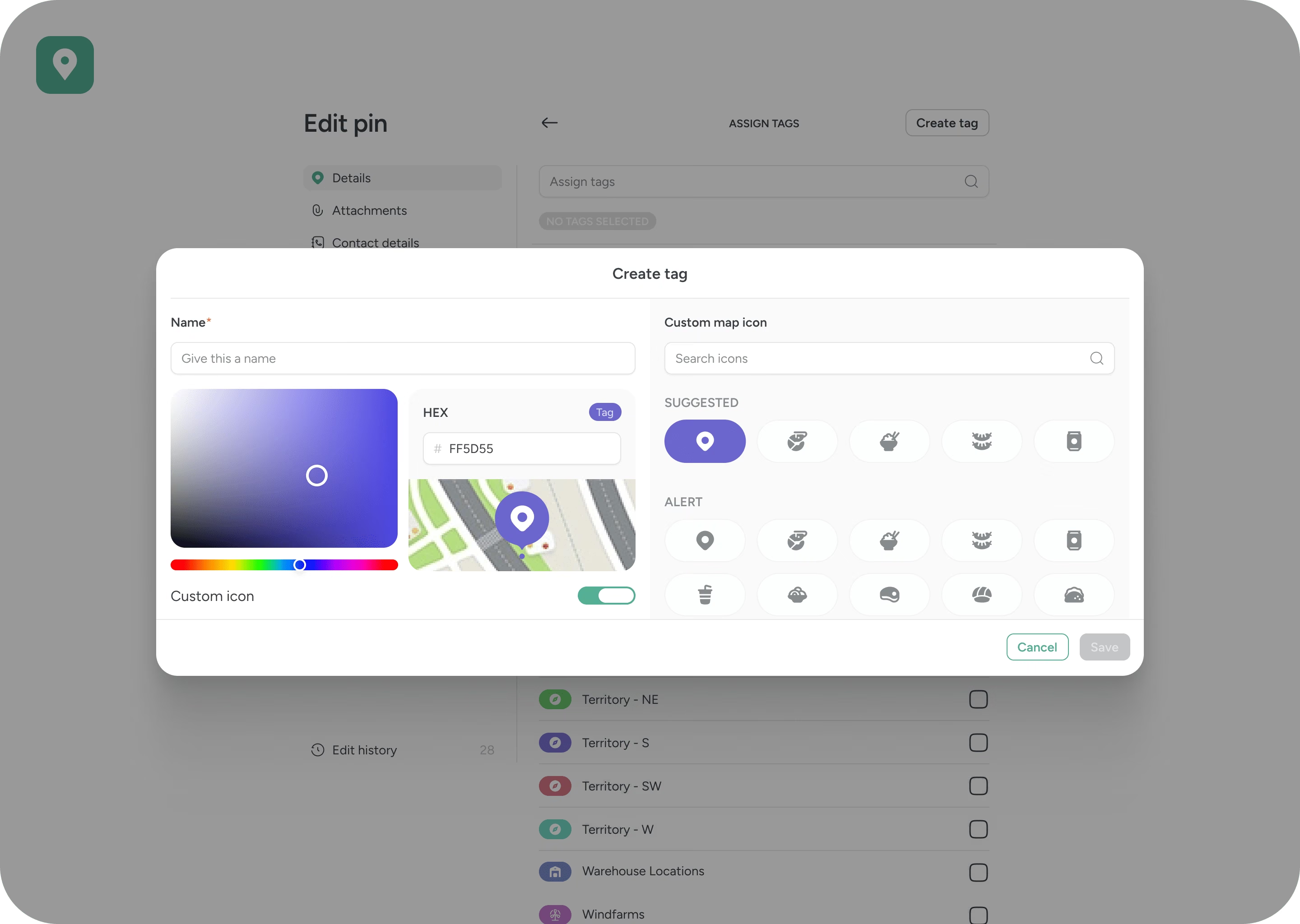
You can create unlimited custom tags.
Each tag includes a name, a colour and an icon. Colours can be selected using a colour wheel or entered as a hex value. The colour and icon affect how the pin is displayed on the map, allowing tags to function as a visual classification system rather than just a label.
Tags are flat and flexible. They do not support hierarchy. A single pin can carry multiple tags at the same time, allowing you to layer meaning across categories.
For example, one location might be tagged as: Retail, High Priority and Q2 Target. This layered approach keeps the map clean while maintaining flexibility.
Tags directly influence how the map behaves.
When you select a tag, both the map and the main pin list update to show only the locations associated with it. You can select multiple tags to create a combined filtered view.
This makes it possible to:
On paid plans, filtered combinations can be saved as reusable filter templates. These saved views can be accessed by the rest of the team, allowing consistent ways of working across the account.

Opening a tag displays all pins associated with it. This view acts as a structured collection of locations.
From here, you can edit the tag, share it, embed it, use it in search or add its pins directly to a route. Tags are not static labels. They are dynamic groupings that can be acted upon.
When shared or embedded, a tag represents a live filtered view of its associated locations. This allows structured subsets of your map to be distributed externally without exposing the full dataset.
On Free and Solo plans, only the account owner can create, edit or delete tags. On the Free plan, public content can be viewed through the user’s profile page.
On Team plans, tags are collaborative. Team members can add, edit and delete tags unless permissions are restricted by the account holder. Tag management permissions can be controlled in user settings.
Tags are global within a workspace. Once created, they are available across the account.
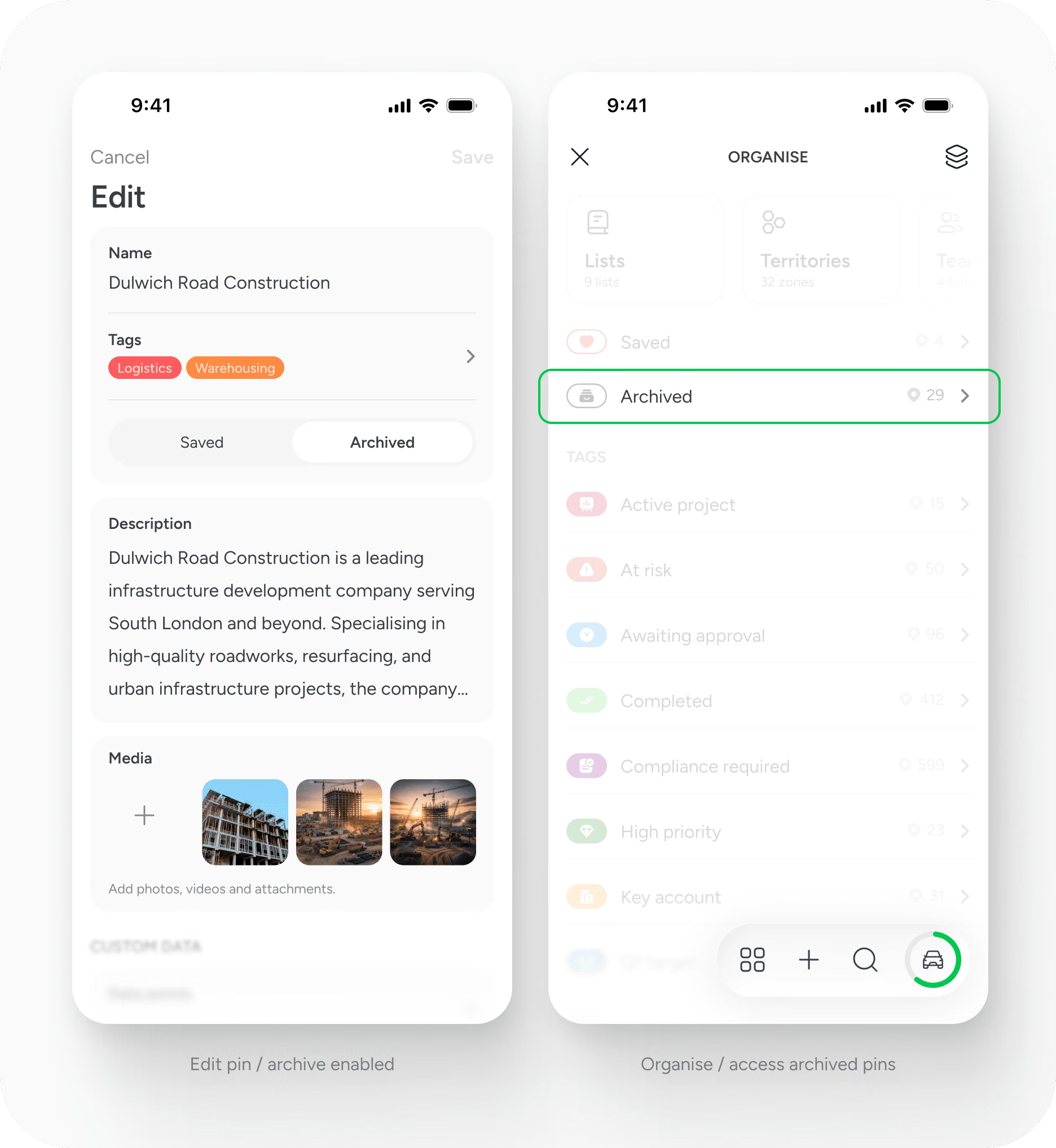
Archiving allows you to manage the lifecycle of a location without removing its history.
When a pin is archived, it is removed from active views but remains stored within the system. This supports long term record keeping while keeping your working map focused on current activity.
Archiving is available on paid plans.
Use tags to describe meaning, not duplication.
Avoid creating separate pins to represent different statuses. Instead, apply status based tags to a single location. Combine tags thoughtfully to reflect multiple dimensions of your work.
Over time, consistent tagging builds a structured dataset that can be filtered, shared and reused without rebuilding views from scratch.
Tags are intentionally simple. Their strength comes from how they are applied across locations.
Support
Talk to the team on our US & Canada toll-free line or our UK number.
Calls are answered by our AI assistants, Nora (US & Canada) and Ellie (UK) and recorded so the team has the details. You can also email us on hello@pindropapp.com. We aim to get back to you within one working day.
Start here
start-here
Get the apps
get-the-apps
Drop your first pin
drop-your-first-pin
Import your places
import-your-places
Organise with tags
organise-with-tags
Share with your team
accounts-access



