Pin Drop vs Badger Maps

Two approaches to field sales and location-based work. One built around routes. One built around place.
Both Pin Drop and Badger Maps support field-based teams who work across locations. While they share similarities around mapping and routing, they are built with different operating models in mind. This guide explains where each platform fits and how they differ structurally.

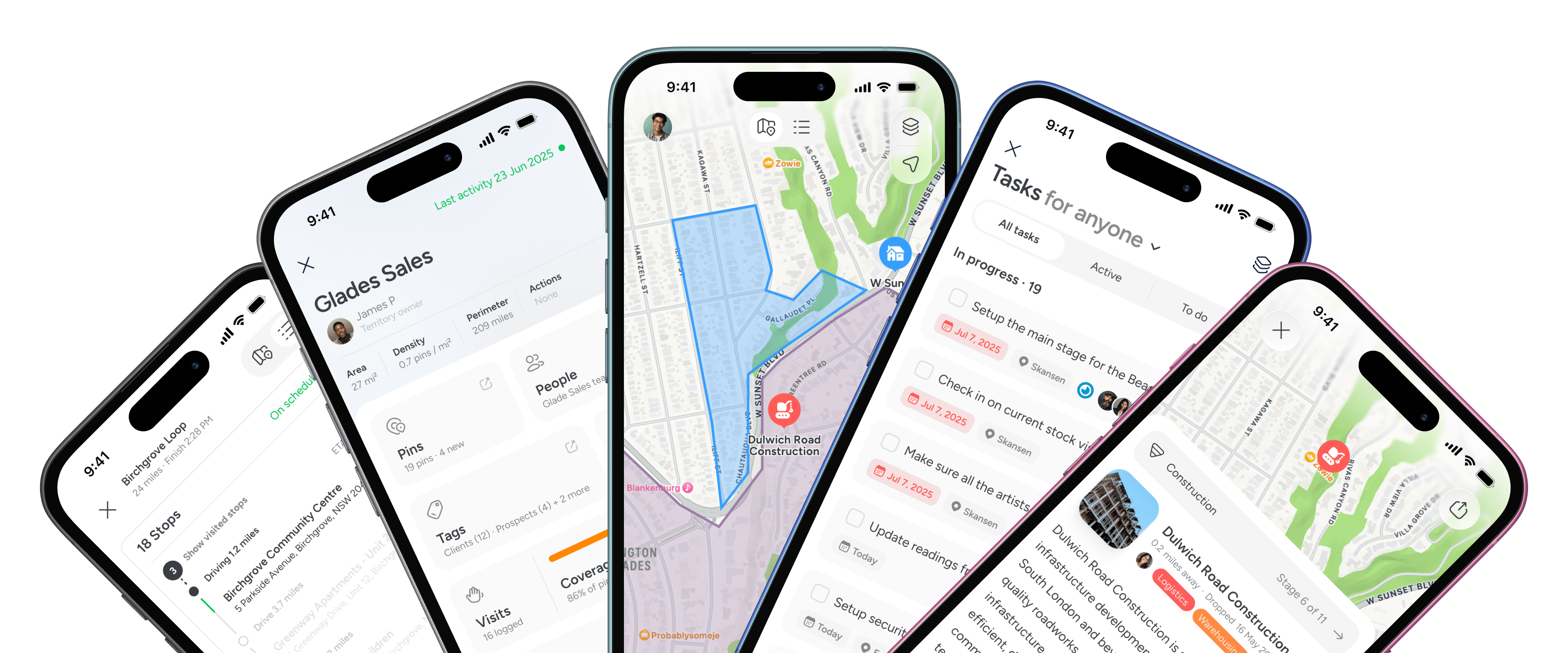
Everything has a place

Not an account record. Not a route. A real-world location.

Work buils on pins

Tasks, visits, notes and projects live on the location, not in disconnected tools.

Territories with ownership

Draw boundaries, assign owners and measure coverage.

Pipelines tied to real sites

Move projects through stages while seeing what’s happening on the ground.

As field operations grow, structure becomes more important than speed.

Route optimisation tools help teams reduce travel time and increase daily coverage. For individual field representatives, that can be enough.

But as operations expand across territories, projects and multiple team members, the problem shifts. Work needs to accumulate somewhere. Visits need context. Ownership needs to be visible beyond a single route.

At that point, the question is not just how efficiently you move between accounts. It is where your operational history lives.

Some tools centre the route. Others centre the place.

That structural difference becomes more important as teams scale.

Capability

Pin Drop

Badger Maps

Best suited for
Pin Drop
Location-based operational teams managing projects, territories and site-level activity
Badger Maps
Field sales representatives focused on daily route optimisation
Core philosophy
Pin Drop
Location as the system of record. Work accumulates at the place itself
Badger Maps
Route optimisation layered over CRM sales data
Route optimisation
Pin Drop
Multi-stop routes with optimisation and traffic awareness. Launch navigation in Apple Maps, Google Maps or Waze
Badger Maps
Strong route optimisation built specifically for field sales
CRM dependency
Pin Drop
Operates independently. Can be used with or without CRM systems
Badger Maps
Often used as a companion tool alongside CRM systems
Territory management
Pin Drop
Custom drawn territories with ownership, overlap support and coverage analysis
Badger Maps
Sales territories typically tied to CRM data
Visit logging
Pin Drop
Automatic check-in and check-out tied to location with notes, media and visit history
Badger Maps
Visit updates generally logged through CRM workflow
Project pipelines
Pin Drop
Native pipelines tied to specific locations with stage timing and financial tracking
Badger Maps
Sales opportunity tracking primarily managed within CRM
How Pin Drop works

The structure behind your field operations matters

Both support teams on the ground. Pin Drop is built around the location itself.
Daily route optimisation
Rep-focused workflows
Structured location history
Shared operational visibility
BEST OF 2013
& Editors Choice
Rated 4.7/5
Based on 1.4k+ ratings
FEATURED APP
162 App Stores
Compare plans
Scaling beyond daily routes

Structure that scales with your field operations

Field teams use Pin Drop to move beyond route planning and build shared, location-based visibility across territories, projects and time.
“Structured site records improved how we report on contract performance.”
Aisha Rahman
Client Services Director
“Structured location based records strengthened our audit readiness.”
Amina Al Saadi
Compliance and Risk Lead
“I don’t have to remember details from the last visit. It’s already there.”
Chris
Route Operator
Guided walkthrough

A closer look at how teams work together with Pin Drop

Take a short walkthrough of how teams keep track of work across locations, without spreadsheets or scattered tools.

FAQs

Is Pin Drop a CRM?
Does Pin Drop integrate with Salesforce?
Can I import my accounts?
Does Pin Drop offer turn-by-turn navigation?
Can Badger Maps manage project pipelines?
Start a free trial